Getting Started
What is Student Finance System?
The Student Finance System (SFS) is an online platform that provides access to Student Finance related services. Depending on your role, you can use the portal to view account status, track transactions, manage withdrawals, and monitor other finance-related matters.
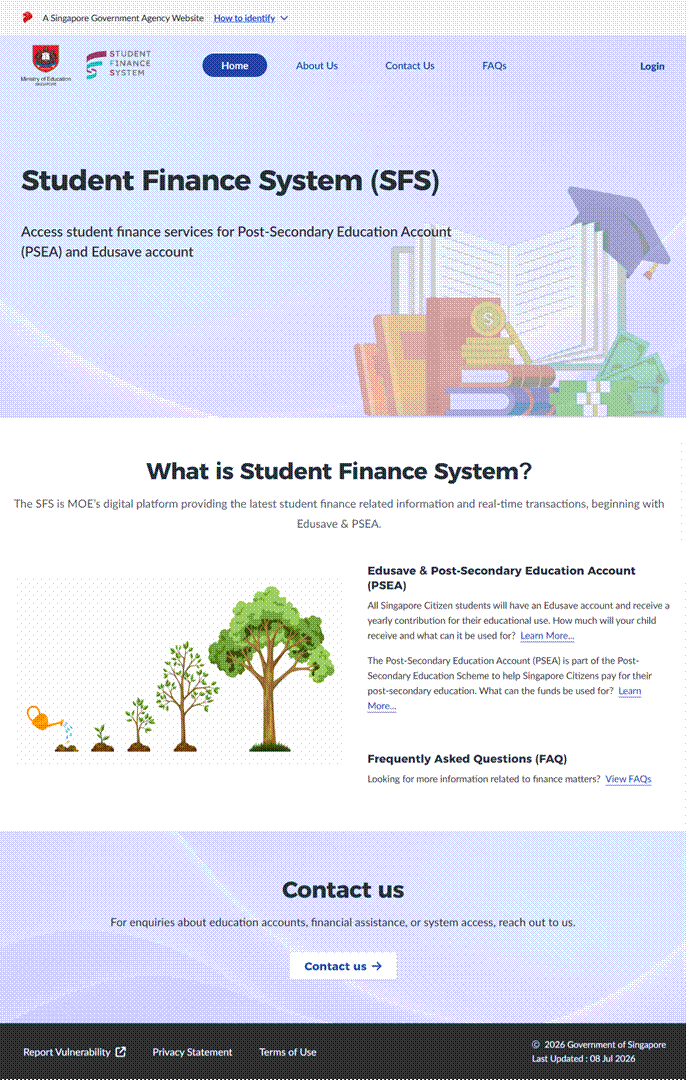
Who can use the Student Finance System?
The system supports student finance management for different user groups, including:
· Account Holders and Parents/Guardians
· Approved institutions and staff, including Post Secondary Education Institutions (PSEI), Training Providers (TP), and Private Learning Institutions (PLI)
Access and available features depend on your role and eligibility.
What can I do in the Student Finance System?
For Account Holders and Parents or Legal Guardians, you are able to:
· Check your or your child’s current Edusave and PSEA balances and up-to-date transaction history.
· Manage your or your child’s Standing Order to authorise MOE-funded schools to deduct Edusave funds and Institutes of Higher Learning to deduct PSEA funds respectively for payment of approved fees and charges.
· Authorise fee deductions by non-MOE-funded schools for Edusave-approved programmes and by private training providers for PSEA-approved courses respectively.
· Apply to repay outstanding government education loans using PSEA funds.
· Make Parents’ Contributions to PSEA online if your child is below 18 years old and has not reached the contribution cap yet.
· Download your or your child’s Edusave and PSEA Annual Statement of Account.
· Apply for Financial Assistance for your child.
· Track the status of your Financial Assistance Scheme (FAS) application.
For PSEI, TP, or PLI Staff, you are able to:
· Access institution‑related Student Finance services available to your role.
· Submit, manage, and track withdrawal or refund records on behalf of students.
· Declare, confirm, or manage student attendance where applicable.
· Download reports or records related to Student Finance transactions.
Where can I get help if I’m stuck?
If you need help while using the Student
Finance System, you can start by referring to the help links provided by clicking
the user guide link on the system home page or via the  icon
in the upper-right corner of each page. These resources cover common instructions
and questions about system messages, and general usage.
icon
in the upper-right corner of each page. These resources cover common instructions
and questions about system messages, and general usage.
If you have additional questions, submit your questions via this link.